By Action Behind
在 Ubuntu 下 ssh 如何建立雙重認證(Two-Factor Authentication)
在現今系統上,雙重認證已很普遍,在 Ubuntu 下 ssh 也可以做得到,步驟如下:
\$ apt-get update

\$ apt-get upgrade

\$ sudo apt-get install libpam-google-authenticator
建立認證匙
\$ google-authenticator
回答多次 Yes 之後,記得用 screenshot 拍之 QRcode 及那些 secret key, verification code 及 scratch codes, 太約如下:
Your new secret key is: XXXXXXXX

Your verification code is 123456

Your emergency scratch codes are:

11111111

22222222

33333333

44444444

55555555
跟著在手機上 ( Android or iPhone ) 上安裝 Google Authenticator

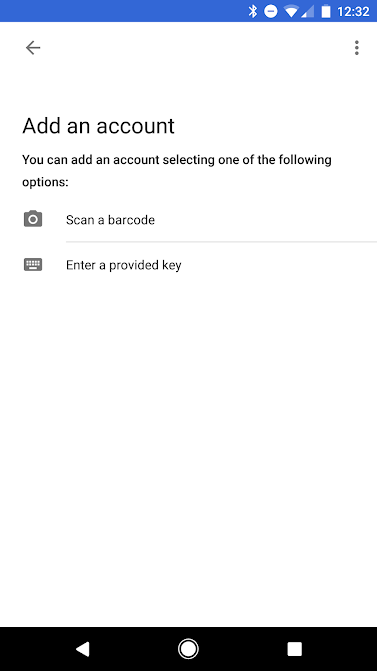
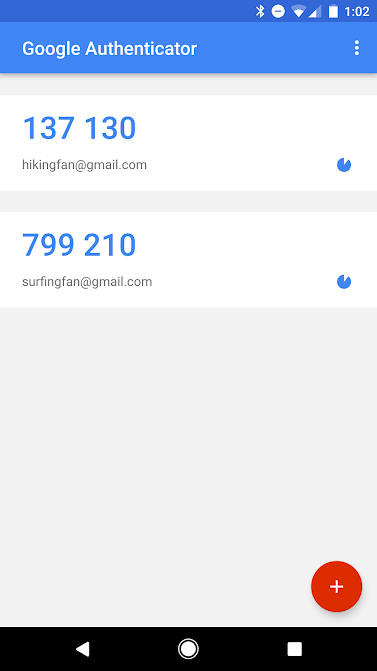
之後 Scan 回之前的 QRcode,成功後就可以見到定時更新一次性密碼
回到 Ubuntu, 在 /etc/pam.d/sshd 加入這行
\$ sudo vi /etc/pam.d/sshd
auth required pam_google_authenticator.so
在 /etc/ssh/sshd_config 改變 ChallengeResponseAuthentication no 成 yes
\$ vi /etc/ssh/sshd_config
ChallengeResponseAuthentication yes
之後重新啟動 ssh
\$ sudo service ssh restart
成功完成後,每次 SSH 登入到這個 Server,也會詢問你的一次性密,當然還有你一向的用戶性密.
Ubuntu Linux Security